Raptor Connect
I built an app to put our school’s announcements, clubs and events in one place.
Clip properties
- Track
- Software
- Role
- Solo: design, code, Firebase data
- Timeline
- May to Aug 2025
- Status
- Archived
- students at the school I built it for, not app users
- 1,100+
The story
My parents were in one announcement app, my teachers used another, and I was clicking through old websites and emails to find things. I wanted to put it all in one app.
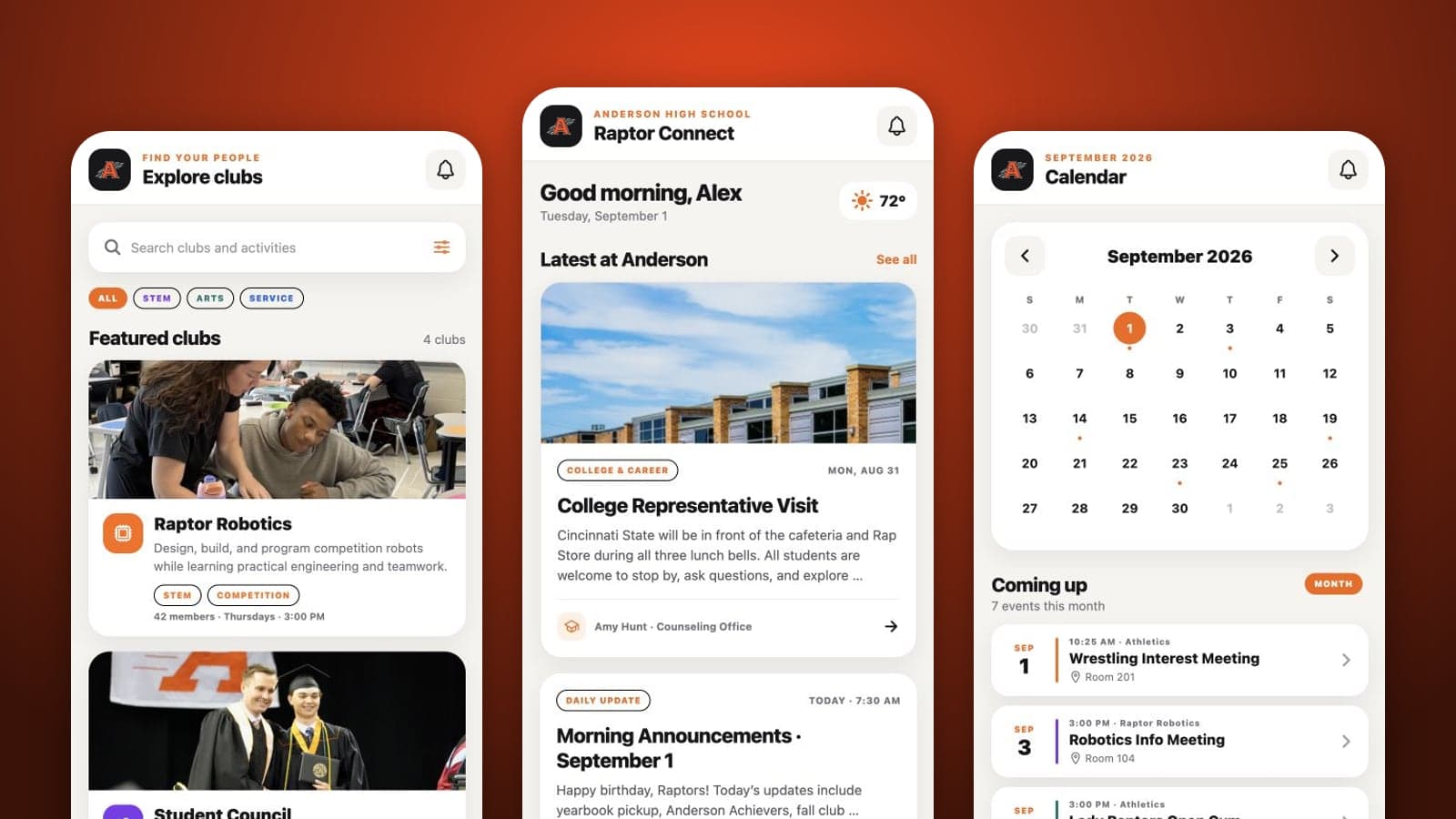
I built Raptor Connect with school announcements, clubs, events and Raptor Report posts. I got to show it to my principal and meet with the district’s tech department. Seeing my principal react to something I’d built was really cool.
How it works
Follow the signal
Parts:
- Staff: Admin screens
- Firebase: News, clubs, events
- Student app: Phone or browser
Connections:
- Staff to Firebase: updates
- Firebase to Student app: school news
Behind the build Tools & technical details
React Native · Expo 53 · React Navigation · Firebase Firestore · Firebase Storage · React Native Web · Vercel
React Native and Expo support phone and web layouts. Firebase stores announcements, clubs, events, RSVPs and uploads. I built admin tools for keeping that information current and adapted scrolling, date inputs and uploads for the browser.
The hard part
I got pretty close, but the school decided to go with Google Classroom. I learned that getting people to use a project takes a lot more than getting the app to work.
What came out of it
The school didn’t adopt it. I still got a lot out of the meetings and learned what it’s like to pitch an idea and work with the people who would actually use it.
A closer look
Announcements.
Announcement detail.
Calendar.
Event detail and RSVP.
Clubs.
Club page.
Raptor Report posts.